A short list, because that's what AudioBridger is — short and to
the point.
⚡
Low latency
Designed for live monitoring, not file transfer. Audio flows in
tens of milliseconds, not seconds.
🔌
Zero setup
Open it on two computers and they find each other automatically
over your network.
🕸️
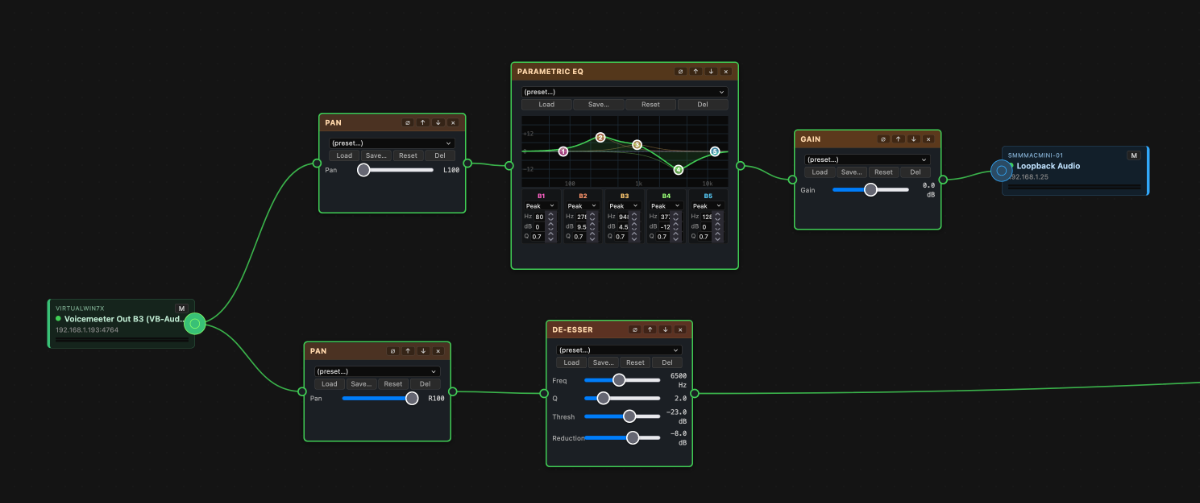
Node-based patchbay
Route your whole setup on an infinite canvas, like a modular
patchbay. Every device is a node you can drag, box-select and move
in groups, rename, and colour-code by role. Drag from a sender to
a receiver to wire them — the connection goes live instantly.
Pan, zoom and auto-arrange to keep even a big rig readable.
👥
True many-to-many routing
Wire any input to any output across your network — any
number of senders to any number of receivers, in any combination.
A receiver can listen to several senders at once and mix them
together; a single sender can feed up to 10 receivers. Edit the
whole web live: connections take effect the moment you draw them.
Great for headphone mixes, shared monitoring, or combining
sources.
🔊
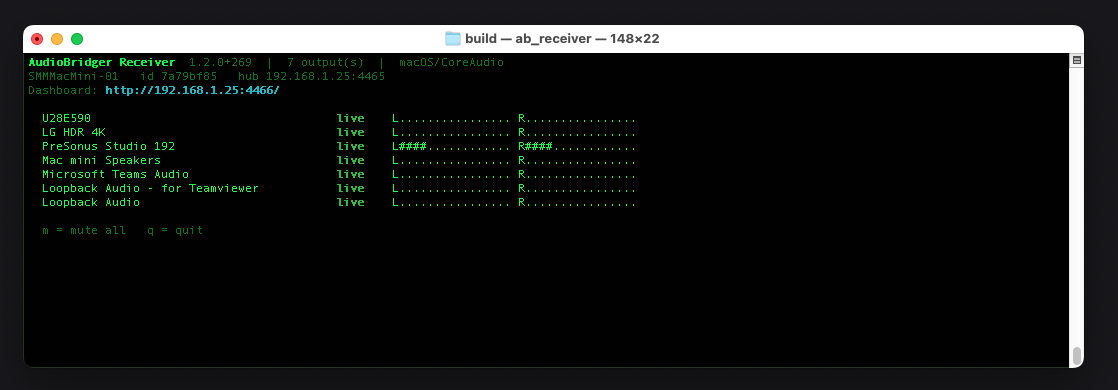
Every device, one launch
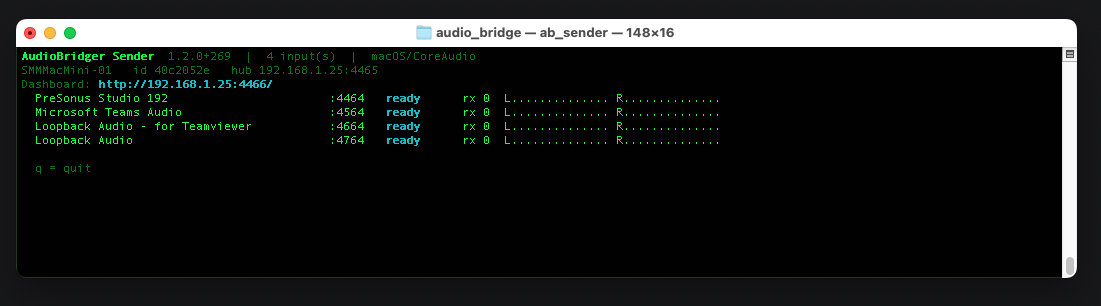
Run it once on a machine and it brings up every audio device on
that computer — each input as its own sender, each output as
its own receiver. No more launching a copy per device or juggling
separate folders. Pick a subset with a flag if you'd rather.
🎚️
Per-channel patch panel
An audio device with multiple channels breaks out into a node
per channel, each with its own live VU meter. Wire any channel
to any receiver, send several channels of one device to different
places, and keep the whole-device “Master” feed
alongside them. Every channel can carry its own independent
effect chain, so you can EQ one mic and compress another
without touching the rest. The same works on the
output side: a multi-output device exposes a
Master In plus a jack per physical output, so one machine can
feed monitors, a booth and a broadcast truck from different outs
at once — mixing several inputs into one or fanning one
source across many.
⏺️
Multitrack recording
Record any tap to disk in 32-bit float —
a whole device, a single channel, a receiver’s mix, an
individual output, or the output of one effect. Every node starts
on a shared timestamp, so a session captured across several
machines lines up sample-accurately in any DAW.
Files save on the machine that owns the audio — pick a folder
on its own drives with the built-in browser, watch free space and
time remaining, and get a mono stem per channel by default. Each
file records its shared start time and its machine’s real
clock rate, so the session can be drift-corrected exactly.
🎛️
Per-source mixer
When a receiver is fed by multiple senders, the hub gives you a
channel-strip mixer for it: independent gain, pan and mute on each
incoming source, plus an overall output fader — all with live
VU meters and dB markings.
🎚️
Per-source & per-channel effect chains
Each sender — or each individual input channel of a
multi-input device — feeding a receiver gets its own DSP
chain: gain,
pan, hard limiter, compressor, 5‑band parametric EQ,
noise gate, de‑esser, delay, reverb and saturator.
Compressor has a draggable transfer-curve graph; EQ has a
FabFilter-style frequency response with draggable band points.
Built-in presets plus “Save as preset” for your own.
Edits are live: drag a slider in the dashboard and the receiver
applies the change on the next audio buffer (~1 ms). Chains
persist in the hub config and replicate across HA hubs.
🕸️
Node-graph editor
The wires are the truth. No grid
mixer, no routing matrix, no checkbox table to puzzle out.
If you can see a wire, it’s connected; if you
can’t, it isn’t. DAWs make you reason about
signal flow in spreadsheets — AudioBridger just shows
you the signal flow.
Build effect chains by dragging wires between ports on the
canvas — sender out, FX in/out, receiver in. Drop an
FX card anywhere first and wire it later. Fan one FX’s
output to multiple receivers and edits stay in lock-step
across every mirror. Cut a wire and it stays cut: no
auto-reconnect, no surprises. Same mental model as
Blender, DaVinci Resolve or Houdini — applied to
audio.
Save any chain as a preset and drag it
onto another wire as a single card — expand to edit
the inner FX, or treat it as a black box. Drop a
junction node to mark a shared patch
point; deleting an FX that fed multiple downstream
receivers leaves the junction in its place so audio keeps
flowing while you rewire.
🎛️
Sample-rate conversion
Mismatched sample rates used to be silently rejected; now they
get a linear-interp resampler on the fly so audio actually
flows. A yellow hazard chip on the mixer row tells you which
source is being converted (and to what rate), so you can fix
it at source for best quality.
🖥️
Cross-platform
Mac and Windows talk to each other freely — a Mac can stream
to a Windows machine and back, in either direction.
🎚️
Pick any input
Mics and line-ins work out of the box. To send
system audio or a specific app, both macOS and Windows
need a small free helper (BlackHole, Loopback, VB-Cable,
VoiceMeeter) that exposes the audio as a virtual input —
once that's installed, AudioBridger picks it like any other
device.
See the helpers we recommend.
📊
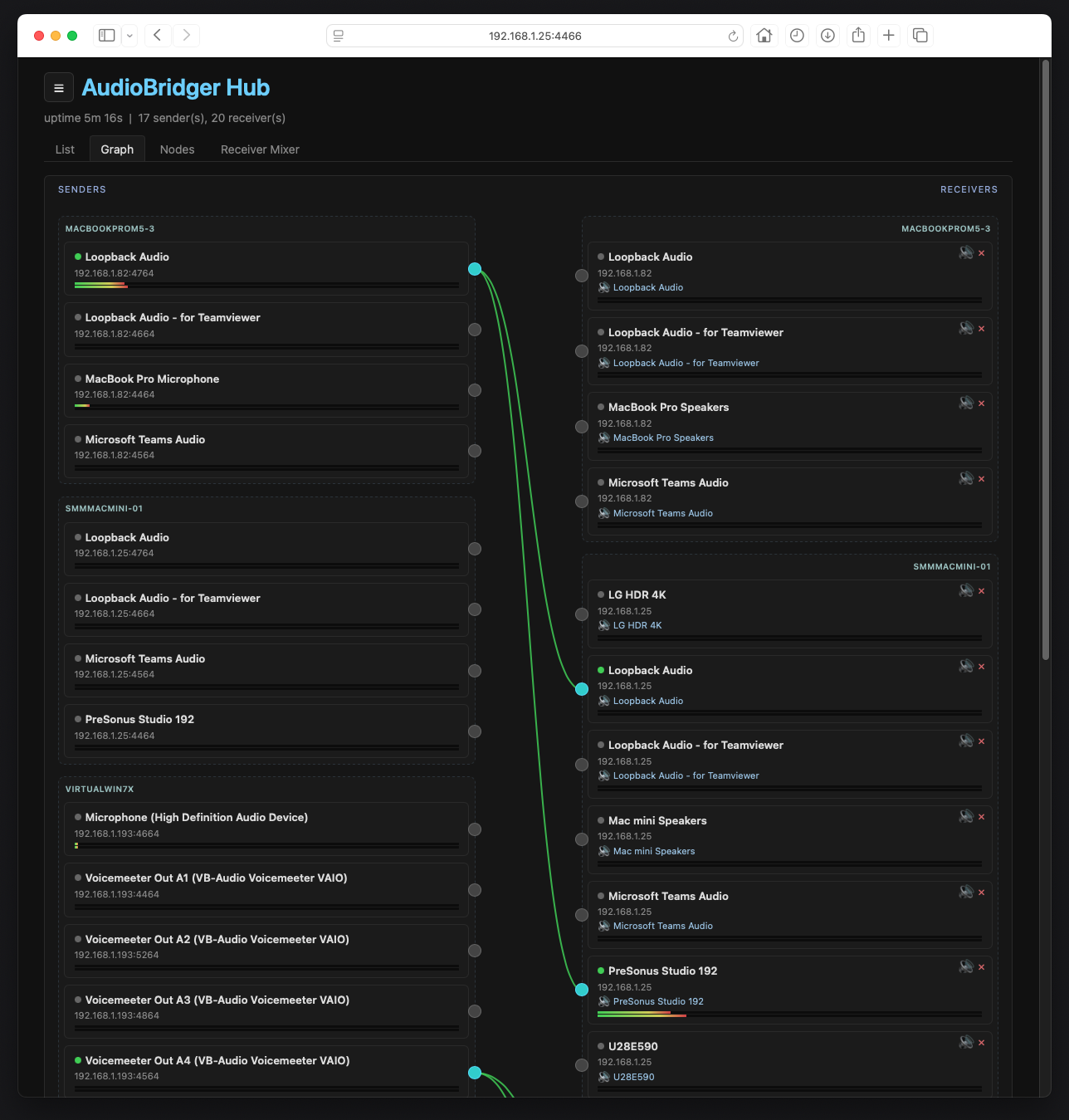
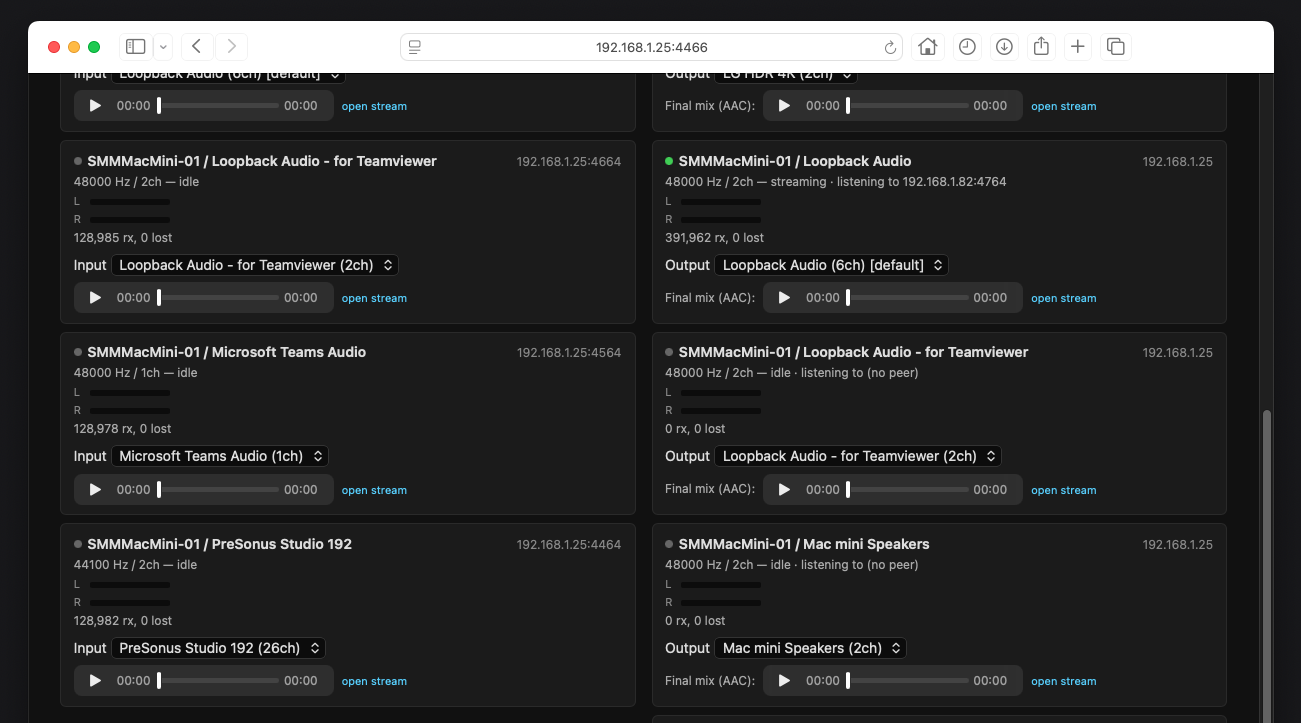
Built-in dashboard
An optional web page shows every active sender and receiver,
grouped by computer, with live VU meters and connection status.
A full list, a drag-to-wire connection view, the node-based
router, and a per-receiver mixer — route audio, mute, set
gain/pan, and pick output devices remotely from any browser on the
network.
🛡️
Redundant hubs
Run a second hub for high availability. The two stay in sync and
agree on which one is in charge; if the active hub goes down, the
standby takes over automatically with no lost routes. Your whole
layout — connections and node positions — is mirrored
across both, so either one shows the same picture. You can also
promote a standby to primary instantly from the dashboard menu.
Because audio is peer-to-peer, hub failover or reconnect never
interrupts a stream.
🌐
Listen in a browser
Each sender also publishes a low-bitrate AAC stream over HTTP. The
hub dashboard shows a play button on every sender that has it
enabled, so you can monitor any source from any browser on the
network — no receiver needed. The same URL works in a phone,
VLC, or OBS. Requires FFmpeg installed on the sender; if it's
missing, the AAC stream simply turns off and the rest keeps
working.
🎵
Studio-quality audio
Uncompressed 32-bit float, up to 48 kHz, with
no codec artefacts on the main path and unlimited headroom —
nothing clips internally and recordings keep their full dynamic
range. Easy on any modern Wi-Fi or wired LAN. Senders at different
sample rates mix into the same receiver: the mixer auto-resamples
on the fly and shows a warning chip on any source that’s
being converted, so you can match the rates at source for best
quality whenever you want.
🔄
Auto-reconnect
Network blip? AudioBridger picks back up where it left off —
no restart, no fiddling. Because audio flows peer-to-peer between
sender and receiver, the hub can go away and come back without
ever interrupting the stream. Receivers keep playing from their
last known sender address until the hub delivers updated routing.
🪶
Lightweight
No daemons, no system extensions, no driver installs. Just a small
app that runs when you want it.